Constraints In Blender#
HiPhyEngine provides multiple different constraint types. It provides both gui and python api for authoring the constraints.
Point Constraint and Mesh Constraints#
Point constraint and mesh constraint limit the movements of the choosen constraint points. Mesh constraint will deform and move with an associated mesh, while point constraint is composed of isolated points without any association to any mesh.
Point constraint can be created in both object mode and edit mode right click menu. While mesh constraint can be created in object mode right click menu.
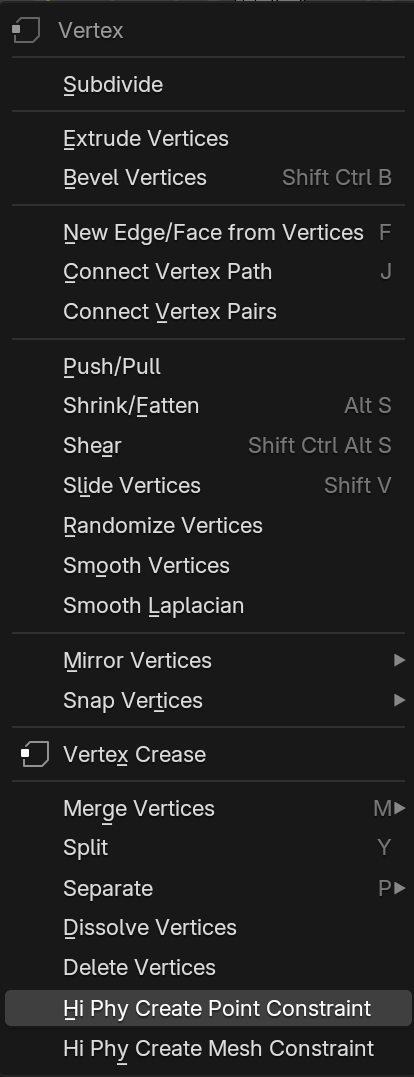
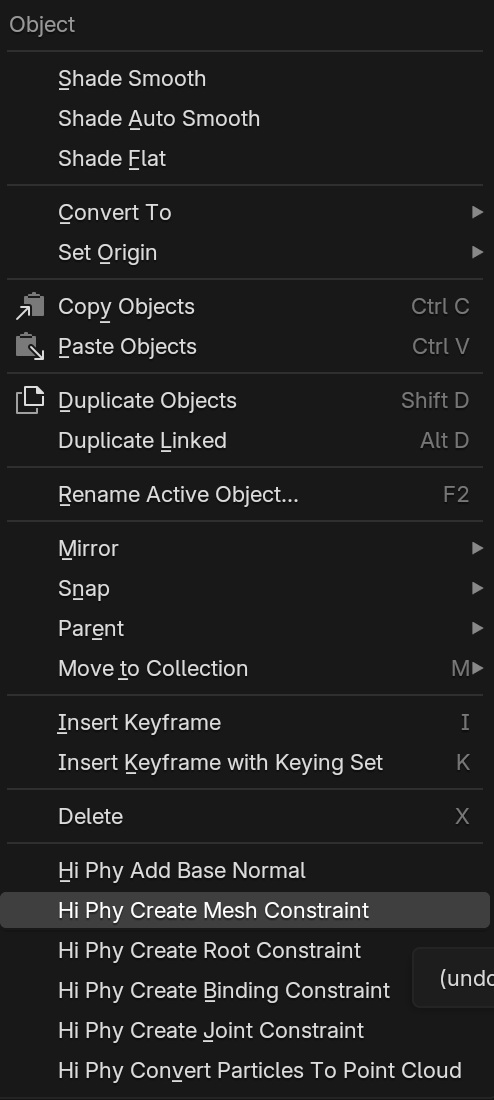
To create a point constraint, first enters edit mode, select the points that the user wishes to constraint, right click->Hi Phy Create Mesh Constraint
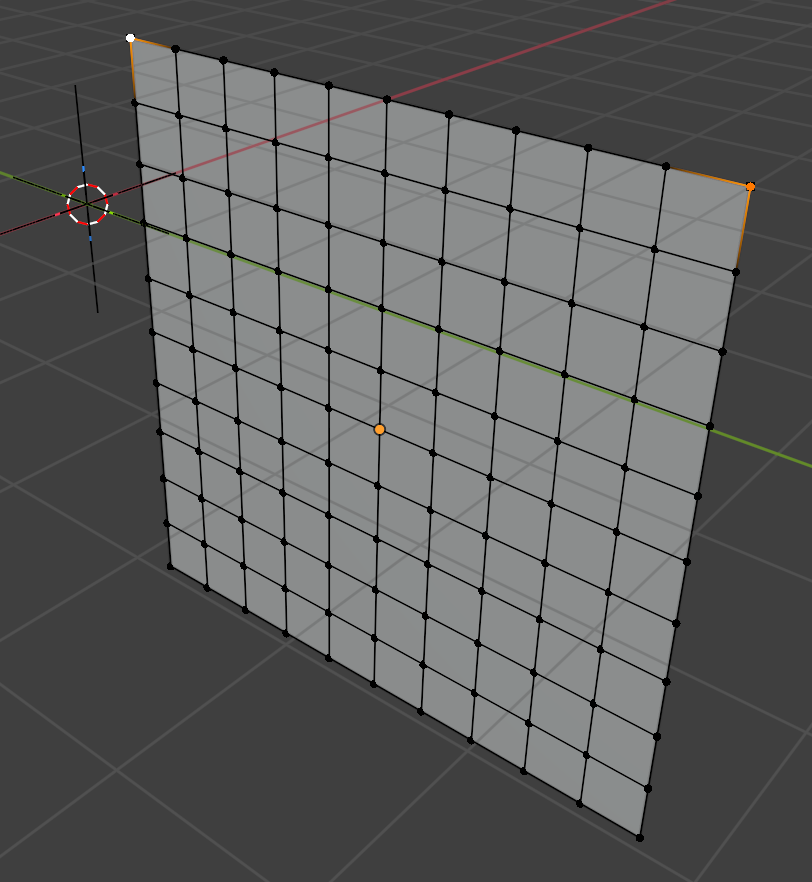
The point constraint can be animated to move the constraint point. Example here.
To create a mesh constraint, first select a triangulated constraint mesh, then select the simulation object that the user wishes to constraint. User may enters edit mode select the points user wish to constraint or stay in object mode to use the closest point binding. right click->Hi Phy Create Mesh Constraint.
In edit mode, HiPhyEngine will automatically bind the selected point to the closest point on the constraint object.
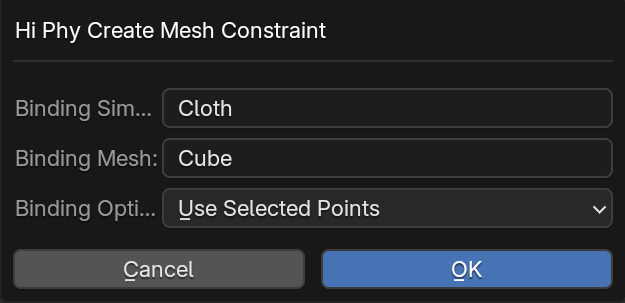
In object mode, HiPhyEngine will ask for a binding radius and automatically pick the vertices on the simulation object within the radius of the collision object.
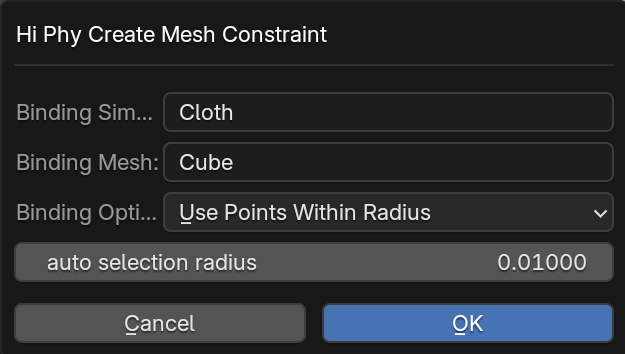
Mesh constraint will automatically follow the constraint mesh during frame change. The constraint mesh can be animated to move the constraint point. Example here.
Animating the mesh constraint
User should always bind the mesh constraint at the start frame. Do not move the the mesh constraint after binding at the start frame to prevent instability introduced by a sudden jump at the first frame. Feel free to animate/deform the mesh constraint after the start frame. HiPhyEngine will automatically update the mesh constraint points to follow the mesh deformation based on the barycentric weights embeded on the mesh surface when the frame changes. This ensures HiPhyEngine to get the correct constraint position during simulation export.
Root Constraint#
Root constraint are a special type of constraint specically designed for elastic rod. It not only constraints the position but also the frame of the rods. Binding the root constraint is the same as binding the mesh constraint in the object mode. Select the simulation object (curves) and the constraint mesh, right click->Hi Phy Create Root Constraint. HiPhyEngine will automatically find the closest point on the constraint mesh to bind the first two vertices of each curve.
Binding Constraint#
Binding constraint is designed for connecting two simulation objects. A common usage would be stiches between different cloth patches.

Similar to mesh constraint, binding Constraint automatically find points between two simulation objects that are within the given binding radius and create a constraint between them. Binding constraint's creation menu provided two additional parameters Zero Rest Length Binding and Curve Can Bind Itself
Zero Rest Length Binding create a binding constraint that has zero rest length between them. It is perfect for creating cloth stitches that is meant to be as close as possible. You can find an example for zero rest length binding constraint here
Curve Can Bind Itself option allows each curve in a Blender curves object to bind with itself during binding. Each elastic rod curve can hold its own shape with bend and twist stiffness, so there is usually no reason to try to bind a curve with itself.
Constraint on soft collider
Soft collider only supports binding constraint
Joint Constraint#
Joint constraint is a special constraint type for creating a joint on a single affine body or between two affine bodies. When created for a single affine body, it allows the affine body to rotate around the joint while holding the joint location. When created between affine bodies, it makes the two affine bodies linked at the joint.
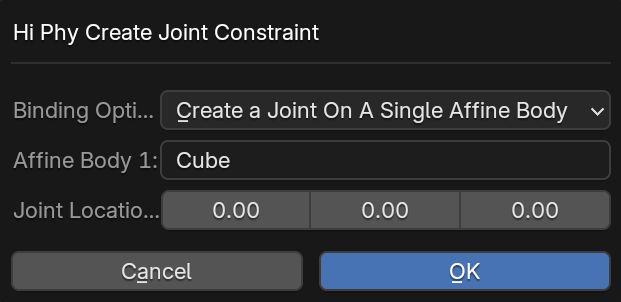
The Joint Location in the joint constraint creation menu is taken from the Blender Cursor.
Joint Location
The joint location does not have to be on either of the affine body. It can be any place in the 3D space. The simulator will bind an imaginary point from the object space of the affine body to the joint.
Axial Rotation
If user wish to restrict the axial rotation of a affine body, two joint constraints can be created on the axis of interest to achieve that.
An example for joint constraint can be found here.
Constraint Parameters#
Almost all constraints shares the same set of parameters, with come caveats.
Constraints can be either hard constraint or soft constraint.
Hard constraints will be enforced exactly in the simulation. All root constraints are hard constraints, point constraint and mesh constraint for cloth and elastic rod can be hard constraints or soft constraints.
Soft constraints are enforced approximately in the simulation by behaving as a spring force. The constraint parameters is the parameters for the spring force. Point constraint and mesh constraint for cloth and elastic rod can be hard constraints or soft constraints. Point constraint and mesh constraint for affine body and deformable body must be soft constraints. All binding constraints and joint constraints are soft constraints.
Numerical stability of hard constraints
It is not recommended to use hard constraints, if the constraints stretch the material. They may create undesirable large deformation around the constraints. Soft constraint will produce much smoother results.
| Property Name | Description | Unit | Is Mappable | Is Animatable |
|---|---|---|---|---|
| Is Soft | If the constraint is soft or not | YES | ||
| Is Enabled | If the constraint is enabled or not | YES | ||
| Live Update | (binding constraints only). Whether or not to deform the constraint point with the simulation mesh for visualization | |||
| Constraint Compression Stiffness | The spring stiffness when the constraint is compressed | \(10\mu N/cm = g/s^2\) | YES | YES |
| Constraint Stretch Stiffness | The spring stiffness when the constraint is stretched | \(10\mu N/cm = g/s^2\) | YES | YES |
| Constraint Damping | The damping factor for the constraint spring force. \(1\) is critical damping | \(1/s\) | YES | YES |
Mappable Constraint Parameters
The spring parameters for constraints are mappable. Similar to the mappable parameters on a simulation object, user can control the constraints parameters using a per-point Blender attribute on the constraint object (not the simulation object that is been constrained).
Python API#
To enable user to fully customize the constraint authoring workflow, user can create their own custom constraint calibration workflow, and use the provided Blender Python API to create the constraint objects.
Point constraint#
# Modify the user_default to your default repository
from bl_ext.user_default.HiPhy.utils import create_point_constraint
# obj: the reference to the simulation object
# verts: list of vertices to be constrained
# name: name for the constraint
# operator: (optional) a Blender operator to report error messages
create_point_constraint.createPointConstraintObject(obj, verts, name, operator)
Mesh constraint#
from bl_ext.user_default.HiPhy.utils import create_mesh_constraint
# sim_obj: the reference to the simulation object
# mesh_obj: the reference to the mesh object
# name: name for the constraint
# bond_indices: the indices of the vertices in the simulation object for the constraint
# bond_points: the position of the vertices in the simulation object for the constraint, in the world space
# bond_face_ids: the id for the face of the mesh object bond by each constraint vertices
# bond_barycentric_weights_on_mesh: the barycentric weight for closest point on the mesh object bond by each constraint vertices
# bond_local_coord: the local coordinate for each constraint vertices in each bond mesh face frame.
#                   If the three vertices of the mesh face are (v1, v2, v3), the frame (u, v, n) is defined as
#                   u = (v2 - v1).Normalized()
#                   n = u.Cross((v3 - v1)).Normalized()
#                   v = n.Cross(u)
create_mesh_constraint.createMeshConstraintObject(sim_obj, mesh_obj, name, bond_indices, bond_points, bond_face_ids, bond_barycentric_weights_on_mesh, bond_local_coord)
Root constraint#
Root constraints are special, we do not provide a custom calibration API.
Bind constraint#
from bl_ext.user_default.HiPhy.utils import create_bind_constraint
# name: name for the constraint
# sim_obj_1: the reference to the first simulation object
# sim_obj_2: the reference to the second simulation object
# indices1: the indices of the vertices of the first simulation object for each bond primitive
# indices2: the indices of the vertices of the second simulation object for each bond primitive
#           bind constraints bind primitive to primitive (triangle to triangle, curve segment to curve segment, or triangle to curve segment)
#           indices for each primitives must be a triplet such as [v1, v2, v3] for triangle faces, [v1, v2, v1] for curve segment (the duplicated indices serves a sentinel value)
# binding_positions1: the position of the vertices in the first simulation object for the constraint, in the world space
# binding_positions2: the position of the vertices in the first simulation object for the constraint, in the world space
# weights1: the barycentric weight/linear weight for binding_positions of each binding point for the first simulation object.
# weights2: the barycentric weight/linear weight for binding_positions of each binding point for the second simulation object.
#           the weights are triplets as well.
#           if the simulation object is a triangle mesh, it will be the barycentric weight [w1, w2, w3].
#           if the simulation object is a curve, it will be the linear weight [w1, w2, 0].
# zero_length_binding: if the binding constraint is zero rest length. If false, the distance between the binding_positions will be used to compute the rest length of the constraint.
create_bind_constraint.createBindConstraintObject(name, sim_obj_1, sim_obj_2, indices1, indices2, binding_positions1, binding_positions2, weights1, weights2, zero_length_binding)
Joint constraint#
from bl_ext.user_default.HiPhy.utils import create_joint_constraint
# sim_obj_1: the reference to the first simulation object
# sim_obj_2: the reference to the second simulation object, if the joint constraint is for a single affine body, this is None
# joint_location: the location for the joint in world space
# name: name for the constraint
create_joint_constraint.createCreateConstraint(sim_obj_1, sim_obj_2, joint_location, name, operator = None):